
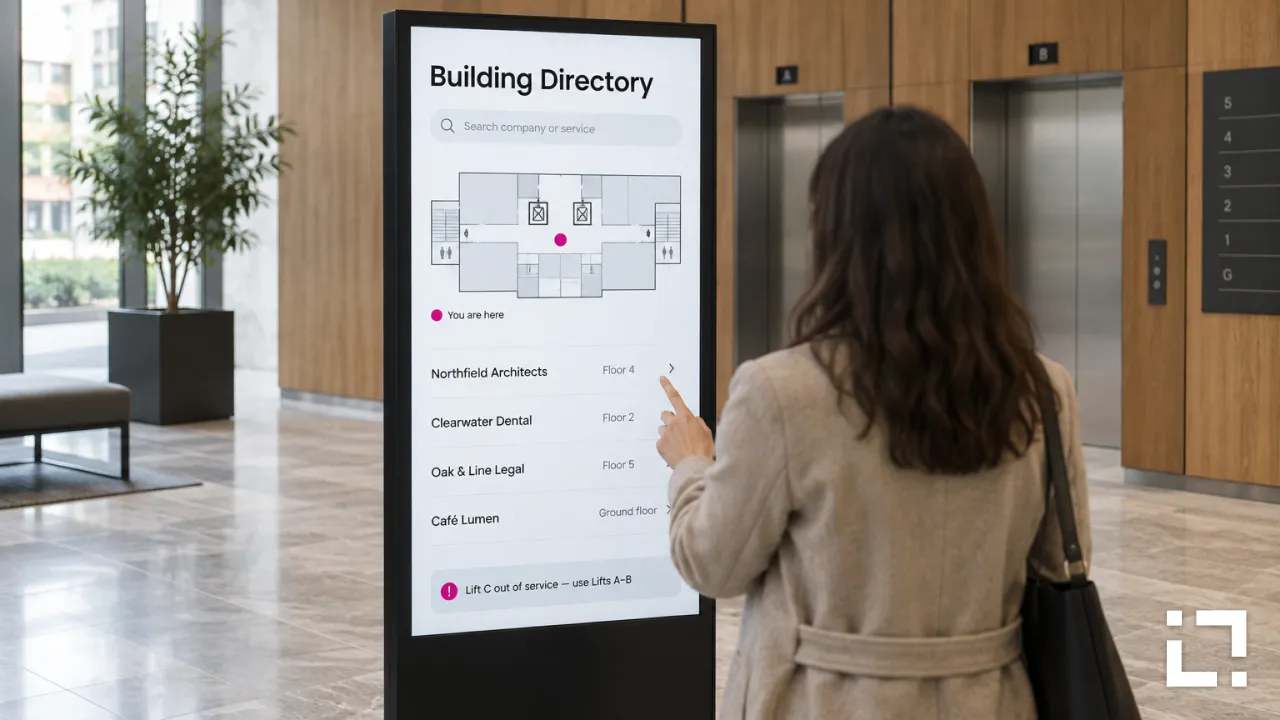
Most building directories are out of date soon after they're printed. A tenant moves to the fourth floor, a clinic changes its name, the side entrance closes for six months. The plastic letters stay where they are, and visitors end up asking at reception, if there is one.
A digital directory board fixes the update problem. Whether it also helps people find their way depends on how it's planned.
Printed vs digital: what actually changes
- Updates: a printed board needs a sign maker. A digital one can change the same day, from an office.
- Space: a printed board shows everything at once. A digital one can rotate pages, filter by floor or let visitors search.
- Temporary changes: a printed board can't say that the lift in block B is out of service. A digital one can.
- Ownership: neither works without someone responsible for keeping it accurate.
Start with the questions visitors ask
A visitor at a directory board wants two things: where the place is, and how to get there. Organise listings the way visitors think, by company or department name first, then by floor or category. Use the names on letterheads and appointment letters, not internal codes.
Show clearly where the board itself is. A "you are here" map oriented the same way the visitor is facing prevents more confusion than any amount of design.
Static list, search or touch?
For a small building, a clear list by floor is often enough, and it works for people who glance at it without stopping. For a large campus or a building with dozens of tenants, search or touch navigation gets visitors to their destination faster. If the board is touch, mount it at a height a wheelchair user can reach, and keep the main destinations visible without any interaction.
Let the data update the board
The listing is the part that goes stale, so make it the easiest part to change. With Livesignage, screen content can be generated automatically from a data source, such as a spreadsheet of tenants and floors, inside a fixed template. When facilities update the sheet, the board updates with it, and nobody has to redesign a screen to move a company from floor 2 to floor 4.
Plan for exceptions
Closed entrances, lifts under maintenance, services moved temporarily: these are the moments when visitors need the board most. Decide in advance who can post a temporary notice, where it appears on the screen and when it comes down.
Checklist before you install
- Every tenant or department name matches what visitors see on their paperwork.
- The map matches the building, and "you are here" is correct for each board.
- One person or team owns the listings and has a way to receive changes from tenants.
- The board sits before the decision point: at the entrance or by the lifts, not after the corridor splits.
- Someone has walked from the board to three random destinations using only its directions.
Planning a directory board for your building or campus? Write to us and we'll connect you with a Livesignage partner in your country.