
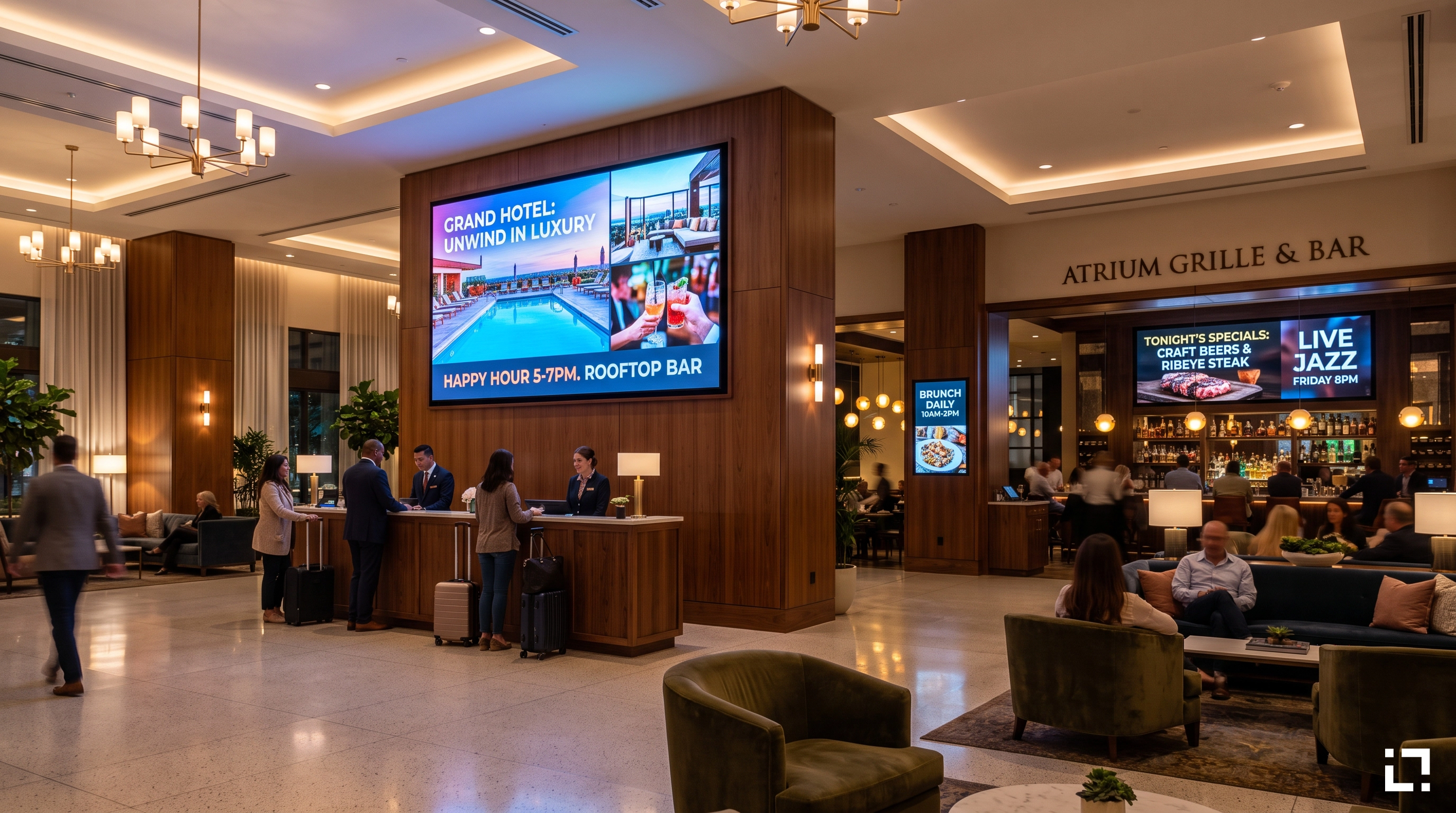
A hotel chain runs three distinct F&B outlets under one roof: a breakfast buffet, a lobby bar, and a fine-dining restaurant. Each has its own screens, its own content, its own hours. Every day, someone manually switches the breakfast playlist to the lunch menu, updates the bar's happy hour promotions, and queues the evening content for the restaurant. On a quiet Tuesday, that takes twenty minutes. On a busy Friday, when a corporate event overruns and the kitchen changes two dishes, it takes longer—and something usually gets missed.
This is not a technology failure. It is a workflow design problem. And it is exactly the kind of problem that digital signage playlist management was never properly built to solve—until scenario-based switching changed the model.
Why Managing Playlists Screen by Screen Breaks at Scale
Most digital signage platforms treat each screen as an independent unit. You schedule content per device, per zone, per location. When something changes—a promotion ends, a menu shifts, an event starts—you update each screen separately, or batch-update a group if the platform allows it.
This works for a single site with three screens. It does not work for a retail chain with 60 stores, or a hotel group with multiple properties running coordinated experiences across lobbies, restaurants, lifts, and conference floors.
The core problem is that manual playlist management scales linearly with complexity. More screens, more locations, more dayparts, more promotions: the workload multiplies. Errors multiply with it. A screen in the wrong state—showing yesterday's pricing, an expired offer, or a breakfast menu at 8pm—is not a minor glitch. In retail, it erodes customer trust. In hospitality, it creates service friction at the exact moments that matter most.
Scheduled content helps, but only partially. Pre-scheduling assumes you know in advance exactly what will happen, when, and on which screens. Real operations do not work that way. Events run late. Menus change. A promotion performs well and gets extended. A supplier cancels and a product disappears from the shelf. Every exception becomes a manual intervention.
What Scenario-Based Switching Actually Changes
The Live Scenario feature in Livesignage is built around a different logic: instead of managing screens individually, you define a scenario—a named state that applies a specific playlist to a specific group of screens simultaneously, with a single action.
Think of it as a preset. "Breakfast service" is a scenario. "Happy hour" is a scenario. "Corporate event mode" is a scenario. Each one maps a set of playlists to a set of screens. When you activate a scenario, every screen in scope switches at the same moment. No sequential updates. No screen-by-screen confirmation. One trigger, coordinated output across the entire network segment.
This changes the operational model in a concrete way. The person managing content no longer thinks about screens. They think about states. "We are in lunch service now." "The event has ended, switch back to standard retail." The platform handles the translation from state to screen configuration.
Scenarios can be activated manually—a single tap in the interface—or scheduled in advance. A retail chain can pre-build scenarios for every promotional period in the quarter and schedule them to activate automatically at the right time, on the right day, across every relevant location. When a promotion is extended by 48 hours, changing the end time of the scenario updates every screen it controls. One edit, not sixty.
The Operational Cost of Manual Edits
The -73% reduction in manual edits that Livesignage documents across its customer base is not a marketing abstraction. It reflects a specific shift in how content operations work when scenario switching replaces per-screen management.
Consider a retail chain running a weekend flash sale across 40 stores. Each store has four screens in different zones: entrance, main floor, checkout, and window. That is 160 individual screens to update for a single campaign. With per-screen management, even a batch update requires verification, troubleshooting for devices that missed the push, and manual correction for exceptions. With scenario switching, the "flash sale" scenario is activated once and propagates to all 160 screens simultaneously. When the sale ends Sunday evening, one action reverts every screen to standard programming.
The time savings compound over a year. More importantly, the error rate drops. Screens that were previously in the wrong state because someone forgot to update them, or because a batch push partially failed, are now synchronized by design.
For hospitality specifically, this matters at a different level. A guest walking from the lobby to the restaurant to the bar should encounter a coherent experience—content that reflects the current moment, the current offer, the current atmosphere. Scenario-based switching makes that coordination possible without requiring a dedicated person to manage it in real time.
Scheduled Content That Responds to Operations, Not the Other Way Around
One of the less visible costs of traditional digital signage playlist management is the cognitive load it places on the people running it. When every content change requires navigating a CMS, selecting devices, uploading assets, and confirming the update, the system becomes a bottleneck. Teams start avoiding updates they know are needed because the effort outweighs the perceived benefit. Screens go stale. Content becomes background noise rather than active communication.
Scenario-based scheduling inverts this. Because the scenarios are pre-built and pre-mapped to screens, the ongoing effort to run the system is minimal. The heavy lifting happens once, during setup. After that, activating a scenario is a single action—or no action at all, if it is scheduled.
This is where Livesignage fits into a broader operational strategy: not as a tool that requires constant attention, but as a system that runs correctly by default and requires intervention only when something genuinely changes.
For retail and hospitality operators managing content across multiple sites, this distinction is significant. The platform adapts to the operation, rather than forcing the operation to adapt to the platform.
Where Simultaneous Switching Has the Most Impact
The scenarios that benefit most from simultaneous playlist switching share a common characteristic: they involve coordinated state changes across multiple screens at a defined moment.
In retail, these are promotional transitions—campaign launches, flash sales, end-of-season clearances—where every screen in a store or across a chain needs to reflect the same message at the same time. A promotion that goes live on the window display but not on the checkout screen is a missed conversion opportunity.
In hospitality, the most common scenarios are service-period transitions: breakfast to lunch, lunch to dinner, daytime lobby to evening bar atmosphere. These happen every day, at predictable times, across predictable screen groups. Pre-building these scenarios and scheduling them eliminates a daily operational task entirely.
Events and conferences add a third layer. A hotel or venue running a corporate event needs to switch signage in meeting rooms, corridors, and common areas to event-specific content—directional information, session schedules, branding—and then revert when the event ends. Without scenario switching, this requires manual coordination before and after every event. With it, the event scenario activates on schedule and reverts automatically.
When Scenario Management Is Worth Implementing
If your operation runs the same content on every screen, all day, every day, scenario management adds no value. That is not the use case.
The value becomes clear when you have multiple content states that need to be applied to multiple screens at specific times, and when the cost of getting that wrong—in staff time, in customer experience, in missed revenue—is real. For most retail and hospitality operators above a certain scale, those conditions are already present.
Implementing Live Scenario does not require replacing existing hardware. Livesignage is certified for Samsung, Philips, BrightSign, and LG displays, and runs on Android and Android TV devices, which means it integrates into most existing screen infrastructure without a hardware refresh.
If you manage content across multiple screens or locations and want to see how scenario-based switching reduces the operational overhead of digital signage playlist management, you can book a demo with a Livesignage specialist at the link above.