
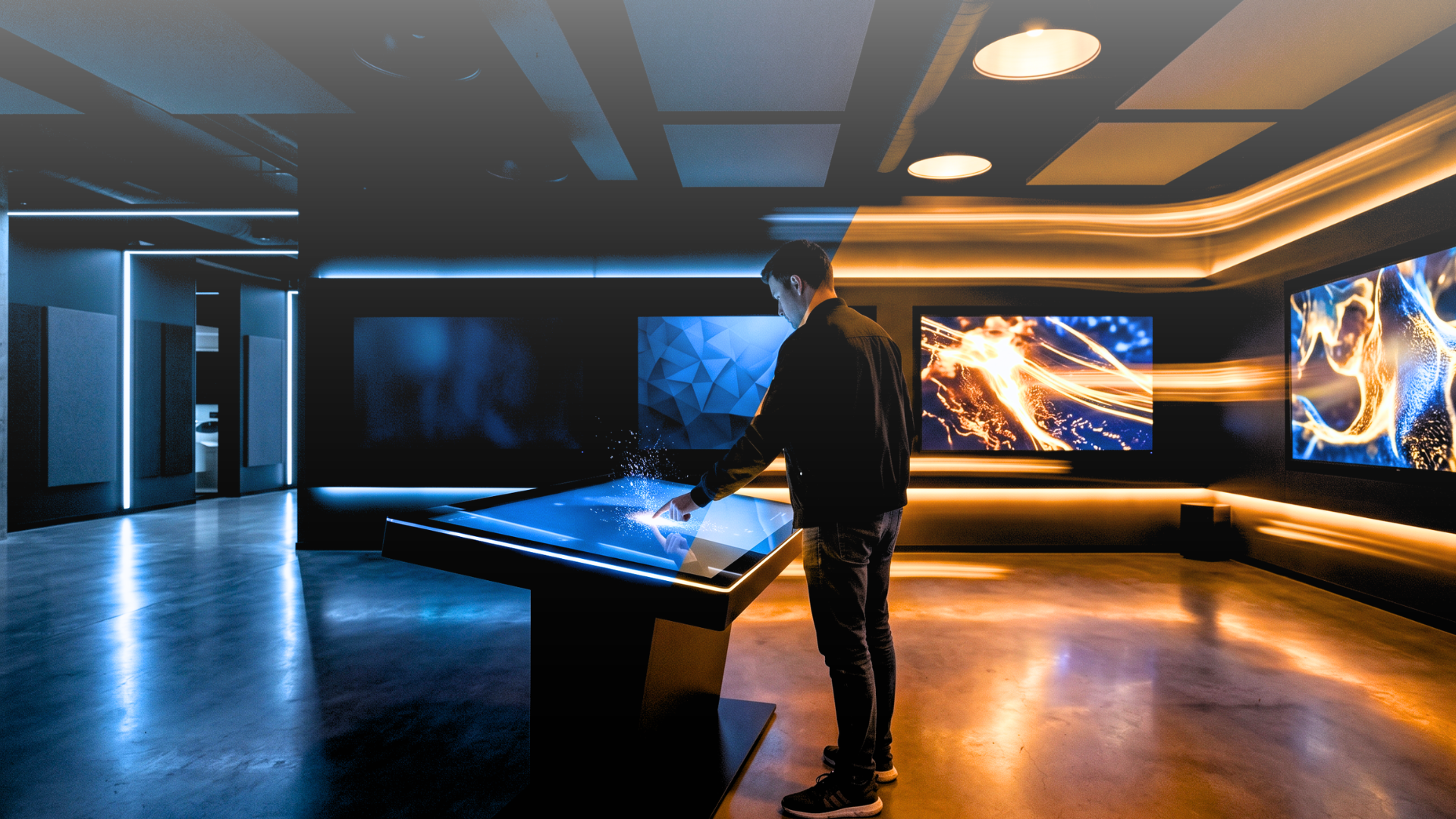
A flagship store opens a new immersive product room. The brief calls for motion-triggered video, ambient lighting that shifts when a visitor picks up a product, and a touchscreen that adapts its content based on the time of day. The IT team has two weeks. The agency quote for custom development is €40,000. Someone asks: can we build this ourselves?
That question is exactly what Livesignage’s Experience Designer was built to answer. Rather than offering a simplified workaround, it provides a visual logic engine capable of handling triggers, conditions, branching logic, and multi-device actions without requiring a single line of code.
Why Interactive Installations Stall Before They Launch
Many digital signage platforms handle scheduled content reasonably well but become more limited when interactivity is required. When a screen needs to respond to a sensor reading, a visitor’s touch, a data value, or a time window, teams may find themselves moving beyond the platform’s native capabilities and into custom-development territory.
The consequences are predictable. Projects get scoped down to what the platform can do, not what the brief requires. Agencies charge for bespoke integrations that become maintenance liabilities. And when the installation needs updating — a new product, a seasonal trigger, or a different flow — the development cycle starts again.
This isn't a niche problem. Research across 50 retail locations measuring dwell time and interaction rates found that interactive displays increase customer engagement by 50% compared to static content. The business case is solid. The technical barrier is what makes teams retreat to looping video instead.
What No-Code Actually Means in This Context
The phrase "no-code" gets applied to tools that range from genuinely powerful to barely functional. The distinction that matters is: what can you actually build without writing code, and what does the system force you to hand off to a developer?
In Livesignage's Experience Designer, the building block is a trigger → condition → action logic chain.
• A trigger is any event: a touch input, a sensor threshold, a scheduled time, a data value changing in a connected feed, a device state.
• A condition filters whether the trigger should fire: time of day, day of week, a specific sensor reading, a variable from your CRM or ERP.
• An action is what happens next: content changes on one or multiple screens, a lighting scene activates, audio plays, a queue counter updates, a form submits.
These chains are built visually, in a flow editor. You connect nodes, define parameters, and test in preview. No syntax, no manual API calls, no deployment scripts.
The scope of what this covers is broader than most teams expect. A retail window that reacts to foot traffic detected by an external sensor. A showroom where picking up a product triggers a synchronised video across three screens and a lighting preset. A corporate lobby where the welcome message adapts to the visitor registered in the calendar. A conference room that switches content automatically when a meeting starts. These scenarios can be configured within Experience Designer by marketing managers or AV coordinators, without requiring a developer to build the interaction logic from scratch.
Triggers, Conditions, Actions: How the Logic Works in Practice
The power of the Experience Designer comes from the combination of these three layers, not from any one of them individually.
Retail scenario — time-based content: A motion sensor at a store entrance detects a visitor.That's the trigger. The condition checks the time: before noon, one content flow activates; after noon, a different one. The action sends a specific video to the entrance display, adjusts the ambient lighting to a preset, and logs the interaction. No developer wrote that logic; it was assembled in the visual editor in under an hour.
Data-driven scenario — live inventory: A live feed from an ERP system shows that a product is low in stock. The Experience Designer picks that up as a trigger, checks whether the product is currently featured on a promotional display (the condition), and automatically swaps the content to an alternative product (the action). The merchandising team doesn't touch a screen. The update takes place as soon as the platform receives the new inventory data and the configured threshold is crossed.
This is where Experience Designer distinguishes itself from conventional signage tools: it treats data sources, sensors, and device states as first-class inputs to the logic engine, not as external variables that require custom code to read.
Multi-Device Orchestration Inside a Single Flow

One aspect that consistently surprises teams coming from standard CMS-based signage is the scope of what "action" can mean. An action is not limited to changing content on one screen. A single trigger can fire simultaneous actions across screens, lighting systems, audio channels, and connected devices, all coordinated within the same flow.
In practice: a visitor enters a showroom pod. The motion sensor fires. In the same flow, the main display switches to a product video, the secondary screen shows technical specifications, the room lighting shifts to a warmer preset, and ambient audio fades in. All synchronised. All managed from one interface.
Across installations where this kind of sensor-triggered, multi-device coordination has been deployed, engagement rates have increased by 85% compared to static display setups, measured through dwell time and interaction frequency. The mechanism is straightforward: when an environment responds to presence and behaviour, visitors engage with it rather than walk past it.
When to Use Experience Designer and When a Simpler Tool Is Enough
Not every installation needs this level of logic. A network of informational screens in a corporate office, cycling through announcements and meeting room availability, doesn't require trigger-condition-action flows. A playlist scheduler handles that well.
Experience Designer is the right tool when the installation needs to respond: to people, to data, to time, to device states, or to other systems.
🛍️ Retail entrance: a motion sensor detects a visitor and triggers time-based content switching, with no developer required.
🖼️ Showroom product display: picking up a physical product activates a synchronised flow across multiple screens and lighting presets from a single rule
💼 Corporate lobby: a visitor registered in the calendar system drives personalised welcome content automatically.
📅 Conference room: meeting start time triggers an automatic content switch tied directly to the scheduling system.
📦 Inventory-driven promotions: an ERP stock threshold fires in real time, replacing featured content without any manual update.
🔢 Queue management: a counter value dynamically adjusts messaging without any custom integration.
The no-code constraint here isn't a limitation; it's the design intent. The Experience Designer is built so that the people who understand the business logic (marketing, operations, AV coordinators) can implement it directly, without translating requirements into a development ticket and waiting for a build cycle.
Where to Start With Your First Interactive Installation
The practical starting point is mapping the triggers your installation already has available: sensors in the space, data feeds from existing systems, scheduled time windows, touch inputs. From there, the Experience Designer's flow editor gives you the canvas to connect those inputs to content and device actions.
Teams that approach it this way starting from what they want the environment to respond to, rather than from what content they want to show, typically build their first working flow in a single session.
If you're planning an interactive installation and want to see how far the no-code logic engine can take you before you need a developer, book a demo with a Livesignage specialist and walk through a scenario specific to your space.
Frequently Asked Questions
Do I need technical skills to use Experience Designer? No. The tool is designed for marketing managers, AV coordinators, and operations teams. The visual flow editor requires no coding knowledge; if you can map out a process on paper, you can reproduce that logic in Experience Designer.
What sensors and data sources can trigger a flow? Experience Designer accepts inputs from motion sensors, touch screens, external data feeds (ERP, CRM, live APIs), scheduled time windows, queue counters and device states. If a system can output a value, it can typically be used as a trigger.
Can one trigger control multiple devices simultaneously? Yes. A single trigger can initiate coordinated actions across multiple screens, lighting systems, and audio channels within the same flow, with everything synchronised and managed from one interface.
How is this different from standard digital signage scheduling? Standard scheduling plays content at fixed times regardless of what is happening in the space. Experience Designer makes content conditional and reactive: it responds to real-world events, live data, and visitor behaviour.
What happens when the installation needs updating? Because the logic is built visually rather than in code, updates can be made directly in the flow editor by whoever manages the installation, without requiring a new development cycle.