
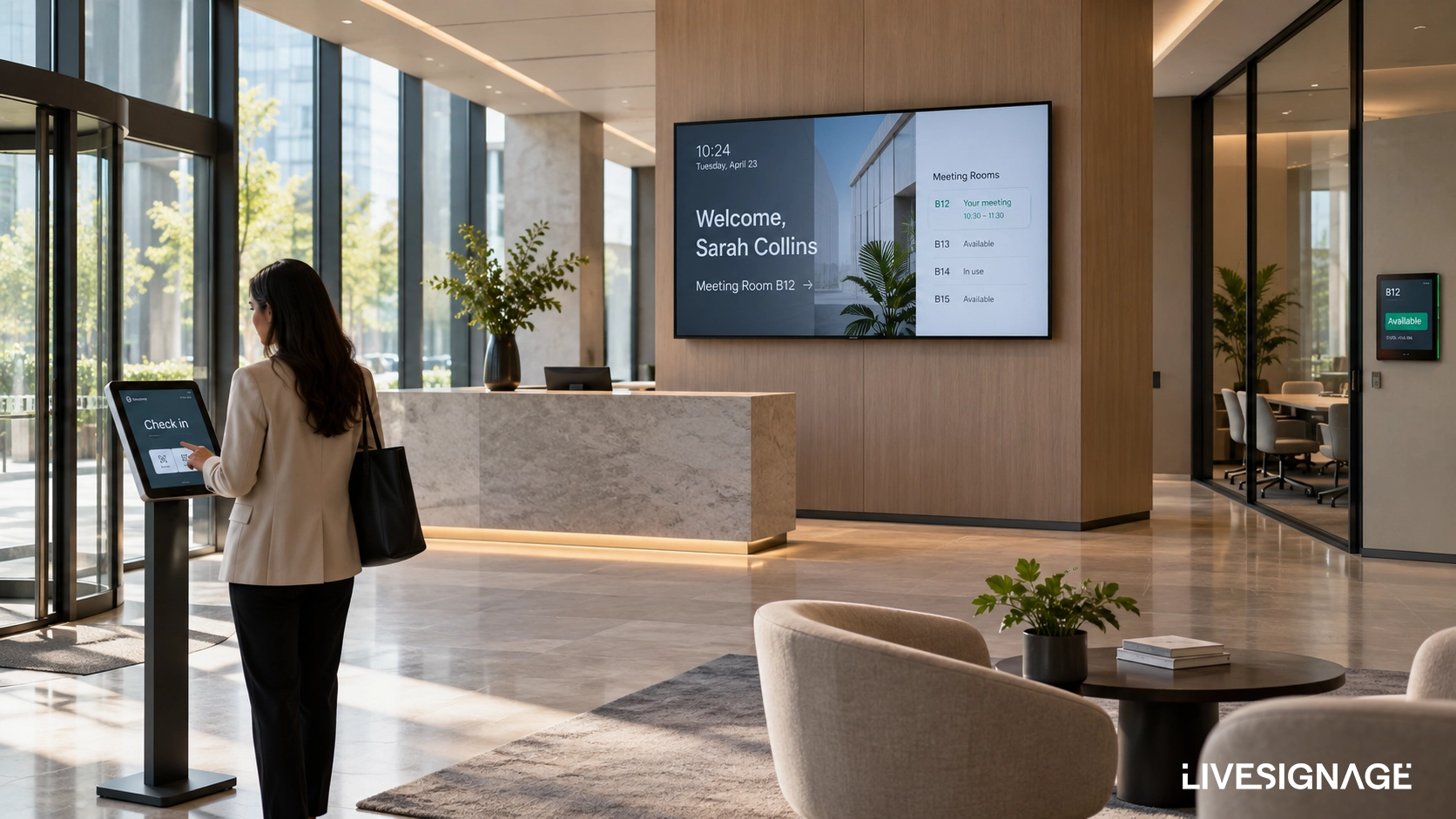
A visitor arrives at your headquarters for a 10 a.m. meeting. There is no one at the reception desk. A screen shows a looping slideshow of the company's latest award. The visitor checks their phone to find the meeting room number, then wanders the corridor looking for it. The host gets a call: "I'm here, where do I go?"
That scenario plays out in corporate offices every day. Not because the technology to prevent it doesn't exist, but because the lobby was never designed as a connected system. Three separate problems — visitor arrival, information display, room navigation — are being handled by three disconnected tools, or none at all.
What the Corporate Lobby Actually Needs to Do
The lobby is not a waiting room. It is the first operational touchpoint for every visitor, every employee returning from a trip, every candidate, every client. What happens in the first three minutes shapes the impression that follows them into the meeting.
A lobby that works operationally needs to do three things simultaneously: receive visitors without friction, communicate relevant information to whoever walks through the door, and orient people toward the right space at the right time. Most corporate lobbies do one of these adequately. Few do all three. Fewer still do them in a coordinated way.
The gap is not hardware. Most offices already have screens, tablets, or panels installed. The gap is orchestration: making those devices share data and respond to the same events.
When Check-In Is the First Signal
Visitor check-in is where the lobby experience begins, and where most of the friction lives. A paper sign-in sheet asks for information that goes nowhere. A standalone tablet app notifies the host but leaves the visitor standing without guidance. Neither system connects to anything else in the room.
Live Check-In, the Livesignage app for visitor management, changes the starting point. When a visitor registers — by entering their name, scanning a QR code, or being pre-registered from a calendar invite — the event triggers a chain. The host receives an instant notification. A welcome message with the visitor's name appears on the lobby display. If they are heading to a specific room, the system can surface wayfinding information automatically.
The check-in is not just a log entry. It becomes a live data event that other systems can act on.
The Welcome Screen as a Live Information Layer
The typical corporate lobby display runs a static presentation: the company logo, a few brand images, perhaps a news ticker that was last updated six months ago. It looks like signage. It functions like wallpaper.
A welcome screen for the office should do more than fill a wall. It should reflect what is actually happening in the building on that day. Which visitors are expected. Which teams are in. Which rooms are booked and by whom. Whether there is a fire drill scheduled at 11. Whether the canteen is closed.
Live Billboard, Livesignage's digital bulletin board application, connects to the data sources that already exist inside the organization — calendars, HR systems, facility management tools, internal communications platforms — and surfaces that information on screen without manual updates. When a meeting is added to the calendar, the room appears on the lobby board. When a visitor is registered through Live Check-In, a personalized welcome message appears automatically.
The screen is no longer a design asset that someone has to maintain. It is a live interface to the building's operational state.
Room Booking Visibility Where It Matters Most
One of the most common sources of friction in corporate offices is the gap between room booking systems and physical orientation. A meeting is booked in Outlook or Google Calendar. The room has a panel outside the door — if you know which door to look at. The lobby display shows nothing.
Live Meeting Room closes that gap at the point of arrival. Integrated with the calendar system, it can display the day's room schedule on the lobby screen: which rooms are occupied, which are free, and for how long. A visitor or employee can see at a glance where their meeting is without asking anyone.
For buildings with multiple floors or wings, this is not a convenience feature. It is the difference between a lobby that works and one that generates a queue of confused people at the reception desk.
This is precisely the kind of scenario where office lobby digital signage stops being a display project and becomes an operational infrastructure decision.
Three Apps, One Coordinated Experience
The value of combining Live Check-In, Live Billboard, and Live Meeting Room is not that each app works well individually. It is that they share a data layer and respond to the same events.
A visitor is pre-registered for a 2 p.m. meeting with the sales director. At 1:58, they arrive and complete check-in on the lobby tablet. At that moment:
- Live Check-In records the visitor's arrival and immediately notifies the sales director that their guest is in the lobby.
- Live Billboard updates the welcome screen with the visitor's name, meeting details, and the room they need to reach.
- Live Meeting Room confirms that the assigned room is available and surfaces its location and current booking status.
- The lobby display can then guide the visitor toward the correct floor, corridor, or meeting room without requiring help from reception.
No one typed anything. No one updated a screen. The event — visitor arrival — propagated through connected systems and produced coordinated outputs across multiple devices.
Across corporate environments where Livesignage has deployed this kind of connected lobby setup, visitor engagement with lobby displays increased by 85% compared to static or manually managed screens. The difference is not the size of the display or the quality of the content. It is whether the content is relevant to the person standing in front of it at that specific moment.
Where to Start if Your Lobby Is Still Disconnected
The most common objection to a connected lobby project is integration complexity. The assumption is that connecting calendar systems, visitor management, and display software requires a custom development project.
With Livesignage, the integration layer is built into the platform. Live Meeting Room connects directly to Microsoft 365 and Google Workspace. Live Check-In can pull pre-registered visitors from calendar invites or CRM entries. Live Billboard updates from any structured data source — spreadsheet, API, internal tool — without custom code.
The hardware question is equally straightforward. Livesignage is certified on Samsung, Philips, LG, and BrightSign, and runs on Android and Android TV. In most cases, existing screens can be used. New deployments can be built on any certified hardware without vendor lock-in.
The starting point is not a technology decision. It is a question about what the lobby is supposed to do — and whether it is doing it. If visitors arrive without guidance, if screens show content that no one maintains, and if room booking is invisible at the point of arrival, the lobby is costing the organization more than it appears.
If you want to see how the three-app bundle works in a real corporate reception environment, you can book a demo with a Livesignage specialist.