
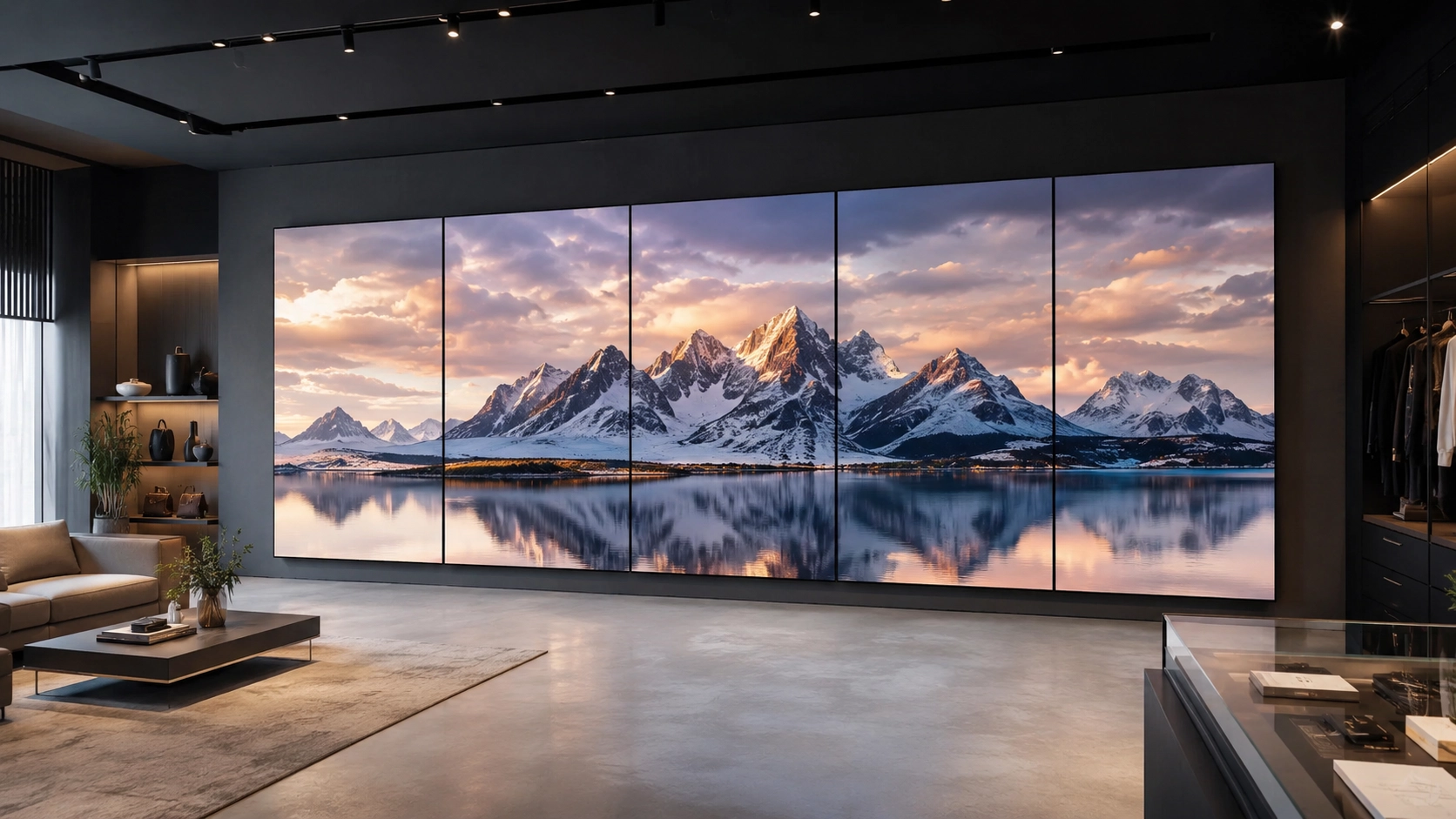
A luxury retailer opens a new flagship store. The centerpiece is a twelve-panel video wall spanning the entrance atrium — designed to display a single, continuous brand film that flows across every screen without a visible seam. On launch day, three panels lag by half a second. The effect is not immersive. It looks broken. The installation team spends the afternoon troubleshooting sync drift between media players, and the brand moment the creative director spent weeks designing never happens.
This is the most common failure mode in multi-screen deployments. Not hardware failure. Not content failure. Synchronization failure — and it comes down to the video wall software.
Why Sync Drift Happens and Why It Matters
Most digital signage platforms were built around a simple model: one player, one screen, one content loop. When you extend that architecture to a video wall, you are asking software designed for independent playback to coordinate across multiple devices simultaneously. The result is sync drift — panels falling out of alignment by milliseconds, which is enough to make a seamless image look fragmented.
The problem compounds at scale. A corporate lobby with a three-by-three video wall has nine players that need to agree on exactly the same frame at exactly the same moment. A retail chain running synchronized window displays across 40 stores multiplies that coordination challenge by 40. Traditional video wall CMS tools handle this either by relying on hardware-level genlock (expensive, inflexible) or by accepting that sync will drift and calling it "close enough."
Neither answer works when the display is the experience.
What Live Sync Actually Does Differently
Live Sync is the Livesignage capability built specifically for synchronized multi-screen content. It coordinates playback across multiple media players at the software level, without requiring proprietary hardware or manual frame-rate matching.
The architecture works through a primary-secondary model: one player acts as the timing reference, and all other players in the group lock to it continuously. If a player restarts — due to a power cycle, a content update, or a network interruption — it resynchronizes automatically on reconnect. There is no manual intervention required and no visible glitch during the resync process.
For video walls, this means a single piece of content can be sliced across panels and played back as one coherent image. For multi-screen zones — think a row of window displays, or synchronized screens at opposite ends of a retail floor — it means every screen shows the same frame at the same moment, even when the content is not a single split image but a coordinated campaign.
The practical difference is significant. A retail environment running a time-sensitive promotion cannot afford a video wall that looks out of sync during peak hours. A corporate briefing room using a panoramic display for executive presentations cannot have the left panel running two seconds behind the right one.
Managing Synchronized Signage Across Multiple Locations
The synchronization challenge is straightforward in a single-site installation. It becomes genuinely complex when you are managing synchronized signage across dozens of locations, each with its own network conditions, hardware refresh cycles, and content schedules.
This is where the Livesignage platform architecture matters beyond the sync feature itself. Live Sync operates within the same orchestration layer that handles content scheduling, data integrations, and device monitoring — which means synchronized video wall groups are managed from the same dashboard as every other display in the network.
A retail operations manager overseeing 60 stores can push a new campaign to all synchronized window display groups simultaneously, confirm playback status in real time, and receive an alert if any player in any sync group drops out. The Livesignage demo walks through exactly this kind of multi-site scenario, including how sync groups are configured and monitored at scale.
The alternative — managing sync groups through a separate video wall CMS disconnected from the broader signage network — creates the operational overhead that most IT and marketing teams are trying to eliminate.
The Downtime Problem in Video Wall Deployments
A video wall that goes dark during a flagship store opening or a corporate investor event is not a minor inconvenience. It is a visible failure in a high-visibility location. The environments where video walls are deployed — entrances, showrooms, briefing centers, retail windows — are precisely the environments where downtime is most costly.
Across Livesignage deployments, the platform has reduced unplanned downtime by 98% compared to previous solutions. That figure comes from the combination of automatic player recovery, real-time device health monitoring, and the ability to push content and firmware updates without taking displays offline. For synchronized groups specifically, the primary-secondary architecture means a single player failure does not bring down the entire wall — the group reconfigures around the available players while the alert is raised.
This matters operationally because video walls are rarely monitored the way individual screens are. A single screen going dark in a corridor gets noticed quickly. A video wall in a lobby going partially dark during a busy period may not be reported until significant time has passed.
When a Video Wall CMS Is Not Enough
There is a category of video wall software that does one thing well: display a single image across multiple panels. These tools are adequate for static installations — a permanent brand backdrop in a reception area, a fixed data visualization on a trading floor.
They become inadequate the moment the content needs to change dynamically, integrate with live data, or be managed as part of a broader network. A retail video wall showing a promotion that needs to update when inventory drops below a threshold is not a static installation. A corporate lobby display pulling live metrics from an operations dashboard is not a static installation.
Livesignage, recognized as a 3x Digital Signage Awards Winner (2024, 2025, 2026), approaches video walls as one output within a broader orchestration layer — not as a separate hardware category requiring separate software. Live Sync handles the synchronization. The data integration layer handles the content. The Experience Designer handles the layout and triggers. They operate as one system.
Where to Start with a Synchronized Multi-Screen Deployment
The right starting point is not the hardware. It is the content model: what needs to be synchronized, how often it changes, and whether it connects to any live data source. A video wall showing a static brand film needs different infrastructure than a synchronized retail display network updating prices from an ERP every four hours.
If the content is dynamic, the synchronization needs to be managed at the software level — and the software needs to be part of the same platform managing the rest of the network. Separating video wall management from general signage management creates two systems to maintain, two dashboards to monitor, and two failure points to diagnose.
If you are specifying a video wall deployment or evaluating options for a multi-screen retail or corporate installation, you can book a demo with a Livesignage specialist to see how Live Sync handles synchronization, recovery, and content management in a live environment.