
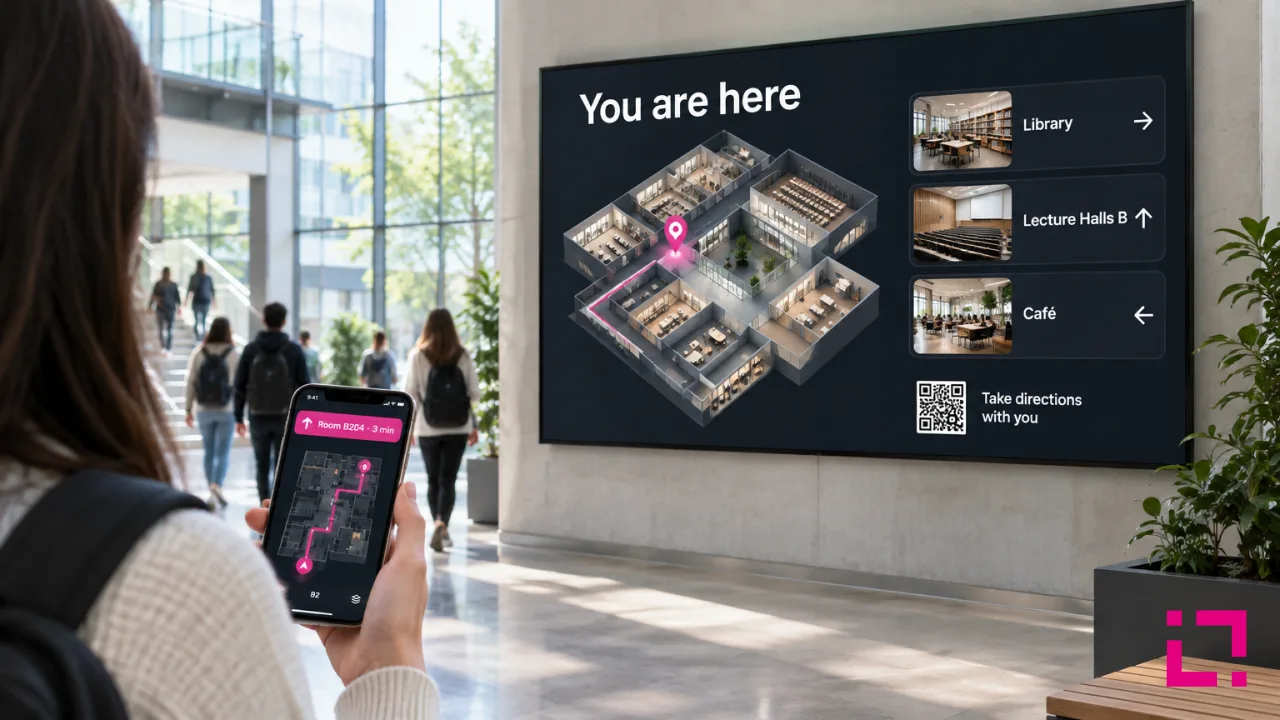
Wayfinding projects often start with a hardware question: how many screens, where, what size. A better first question is what visitors need at each point, and which format answers it best. A wall screen, a touch kiosk, a map on the phone and a QR code are good at different things.
Static screens: shared orientation
Good at: showing many people the same thing at once. Where they are, the main destinations, which way to turn. They work for people who don't stop walking.
Weak at: long lists and individual searches. A screen showing fifty destinations helps nobody find one.
Use them at entrances, junctions and lift lobbies, where people make a decision.
Touch kiosks: searching
Good at: finding one destination among many. A room, an office, a shop, an exhibit.
Weak at: busy moments. One person uses a kiosk at a time, and the next person waits. Kiosks also need careful placement for wheelchair users and a clear sign that the screen can be touched.
Use them in large or complex buildings where visitors arrive with a specific destination in mind. Our guide to digital directory boards covers how to plan the listings.
Mobile maps: taking directions along
Good at: staying with visitors after they walk away from the screen, and working with their own device settings, such as text size, screen reader and language.
Weak at: first contact. People have to open something, and indoor positioning isn't always available or accurate.
Use them for multi-step routes, campuses and venues where visitors spend hours.
QR codes: the bridge
Good at: linking a physical point to more information without an app.
Weak at: carrying essential directions on their own. Not everyone scans, and a code that leads to a slow or outdated page is worse than no code.
Use them next to information that's already on the screen, never instead of it.
How they work together
A typical journey combines them: the entrance screen orients, a kiosk answers the specific search, and a QR code hands the route to the visitor's phone for the rest of the way. In Livesignage, the content behind the QR code can be built as a Mobile Playlist with links, PDFs, images and video, and scans are counted anonymously.
What every format needs
- The same destination names everywhere: screens, kiosks, mobile pages and physical signs.
- One owner for changes, so a closed entrance is updated in every format at once.
- A fallback: physical signs and staff for when a device is busy, off or hard to use.
Planning wayfinding for a venue or campus? Write to us and we'll connect you with a Livesignage partner in your country.